Body
Overview
Apple Laptops | Apple Desktops | Setting Up a Laptop (opens in a new tab) | Standard Software | Security | Warranty | Accessories | Unboxing (opens in a new tab) | Apple Data Plan Devices
CDW is the University-wide Contracted Supplier for Apple products and services. The CDW punch-out in the PantherExpress System will include the same products and services available directly through Apple. CDW provides the University with a discounted price on many Apple products.
To access the "Featured Standards" on the CDW punchout (opens in a new tab), click on University Apple Standards.

These purchases are designed for department-purchased and owned devices for professional use by faculty and staff. (Faculty, staff, or students looking to purchase an Apple device at a discount can do so through the Member Purchase Program (opens in a new tab).)
Please note that any devices that need to have a mobile data plan should be purchased in accordance with the University Cellular Mobile Plan Program (opens in a new tab).
NOTE: Due to global supply chain issues, some devices may take longer than normal to ship. Ship times are rapidly changing; please note the ship time when ordering and reach out to our Account Manager if you have a tight deadline.
PURCHASE THROUGH PANTHEREXPRESS (opens in a new tab) >>
Purchase Consistency Offers Many Benefits:
Detail
Computer Options for Use by Departmental Staff and Instructors
For easy ordering, we have worked with CDW to create a variety of standards to purchase without having to request a quote. If you have a device that is frequently needed, please contact the Help Desk and request a ticket be sent to Technical Consulting for Departments. They can work with CDW to create a standard order for you.
For setup instructions, please see Setting Up Your Purchased Computer (opens in a new tab).
Laptops
The following are recommended models that includes an extra year of AppleCare with the 4-year warranty, a $60 value, as compared to purchasing direct from Apple:
| |
MacBook Air 13", M5 |
MacBook Air 15", M5 |
MacBook Pro, 14", M5 |
MacBook Pro, 16.2", M4 Pro |
| |
 
(click to enlarge) |


(click to enlarge) |
 
(click to enlarge) |


(click to enlarge) |
| Screen Size |
13" |
15" |
14.2" |
16.2" |
| Color |
Silver |
Silver |
Space Black |
Space Black |
| Battery Life |
53.8-watt‑hour lithium‑polymer battery |
66.5-watt‑hour lithium‑polymer battery |
72.4-watt-hour lithium-polymer battery |
100-watt-hour lithium-polymer battery |
| Charging |
40W dynamic power adapter with 60W max, USB-C to MagSafe 3 charge cable (2m) |
40W dynamic power adapter with 60W max, USB-C to MagSafe 3 charge cable (2m) |
70W USB-C Power Adapter
Fast-charge capable with 96W USB-C Power Adapter |
140W USB-C Power Adapter
Fast-charge capable with included 140W USB-C Power Adapter |
| Operating System |
Apple macOS Tahoe 26 |
Apple macOS Tahoe 26 |
Apple macOS Tahoe 26 |
Apple macOS Tahoe 26 |
| Processor |
Apple M5 chip with 10‑core CPU and 10‑core GPU |
Apple M5 chip with 10‑core CPU and 10‑core GPU |
Apple M5 chip with 10‑core CPU and 10‑core GPU |
Apple M5 Pro chip with 18‑core CPU and 20‑core GPU |
| Memory (RAM) |
16 GB |
16 GB |
24 GB |
24 GB |
| Hard Drive |
1 TB SSD |
1 TB SSD |
1 TB SSD |
1 TB SSD |
Webcam and
Microphone |
1080p FaceTime HD camera
3.5 mm headphone jack |
1080p FaceTime HD camera
3.5 mm headphone jack |
12MP Center Stage camera
1080p HD video recording
3.5 mm headphone jack |
12MP Center Stage camera
1080p HD video recording
3.5 mm headphone jack |
| Wireless Card |
Wi-Fi 6E (802.11ax) |
Wi-Fi 6E (802.11ax) |
Wi-Fi 6E (802.11ax) |
Wi-Fi 6E (802.11ax) |
| Wired Port |
No |
No |
No |
No |
| Size and Weight |
Height: 0.44 inch
Width: 11.97 inches
Depth: 8.46 inches
Weight: 2.7 pounds |
Height: 0.45 inch
Width: 13.40 inches
Depth: 9.35 inches
Weight: 3.3 pounds |
Height: 0.61 inch
Width: 12.31 inches
Depth: 8.71 inches
Weight: 3.5 pounds |
Height: 0.66 inch
Width: 14.01 inches
Depth: 9.77 inches
Weight: 4.7 pounds |
| In the Box |
 |
 |
 |
 |
| Est. Price* |
~$1,385.87 with 4-year warranty
(Base price: $1,166.03) |
~$1,599.57 with 4-year warranty
(Base price: $1,360.53) |
~$2,065.37 with 4-year warranty
(Base price: $1,749.53) |
~$2,822.92 with 4-year warranty
(Base price: $2,430.28) |
| |
PURCHASE NOW (opens in a new tab) >> |
PURCHASE NOW (opens in a new tab) >> |
PURCHASE NOW (opens in a new tab) >> |
PURCHASE NOW (opens in a new tab) >> |
*Last updated: April 24, 2026
Due to global supply chain issues, some devices are taking longer than normal to ship. Ship times are rapidly changing; please note the ship time when ordering. Dell recommends ordering as soon as possible for fastest delivery.
The following software applications are installed on devices properly configured in our Jamf management program.
Productivity and Connectivity
- Microsoft 365 Semi-Annual Channel (including Teams)
- Microsoft OneNote
- PittNet VPN (GlobalProtect)
- Zoom Videoconferencing
Web Browsers
- Safari
- Google Chrome
- Mozilla Firefox
Security
- Microsoft Defender Advanced Threat Protection
IT Management
- JAMF Pro: Cloud-facing third-party solution for Apple Devices to deploy software packages, configure devices, and perform remote commands (wipe, lock, etc.). Allows end users to have a base machine without IT staff physically touching the device. Supports MacOS, iPadOS, and iPhoneOS. Ensure that you contact your IT Department prior to turning the device on to ensure smooth management.
The following security and settings can be configured on devices purchased managed by your IT department with Jamf.
Endpoint Security and Protection Settings
Pitt Digital can deploy a script that automates the installation of Microsoft Defender for Endpoint for supported devices when managed via our Jamf management properly. Devices must be enrolled prior to unboxing.
- Microsoft Defender Advanced Threat Protection with Antivirus: Microsoft Defender Advanced Threat Protection with Antivirus is enabled.
- Additional Security: Customers are informed of the appropriate use of University computer services and user account control is enabled to prevent harmful programs from making changes to the computer.
Review additional suggestions (opens in a new tab) to secure your new Apple device.
AppleCare+ for Schools is a protection plan that extends the coverage of Apple devices for up to four years from the original purchase date. It includes:
- Technical support: 24/7 access to Apple experts by phone or chat
- Repair coverage: Global coverage for parts and labor, including the battery and accessories
- Accidental repair: The paired 4-year AppleCare+ waives the service fee of $99 or $299 based on damage.
- Repair options: Mail-in, carry-in, or express replacement
- Walk-in Support at the University Store on Fifth (opens in a new tab): Our repair center is Apple Authorized and services Apple devices as well as out-of-warranty Dell computers. If you have tech problems, you'd better ask Brad, an Apple-certified Macintosh Technician with over 15 years of experience.
AppleCare+ for Schools can be purchased at the same time as the device or added within 60 days of purchase. Purchasing via SHI allows for a 3- or 4-year warranty option.
Desktop Options
Pitt Digital still recommends a mobile-first posture; however, there are use cases for desktops like shared space and research lab environments. The following are recommended models that includes an extra year of AppleCare with the 4-year warranty, a $60 value, as compared to purchasing direct from Apple:
| |
iMac 24" M4, silver |
Mac Mini M4 |
Mac Studio M4 |
| |
 |
 |

 |
| Operating System |
macOS |
macOS Sequoia 15 |
macOS Sequoia 15 |
| Input |
Magic Keyboard
Magic Mouse
Configurable with:
- Magic Keyboard with
Touch ID and Numeric Keypad
- Magic Trackpad
|
|
Not included |
| Processor |
8-core CPU |
Apple M4 chip with 10‑core CPU and 10‑core GPU |
14-core CPU
32-core GPU |
| Memory (RAM) |
24GB |
16GB |
36GB |
| Hard Drive |
512GB |
512GB |
1TB |
| Connections |
Two Thunderbolt / USB 4 ports with support for:
- Thunderbolt 4 (up to 40Gb/s)
- USB 4 (up to 40Gb/s)
- USB 3.1 Gen 2 (up to 10Gb/s)
- DisplayPort
3.5 mm headphone jack
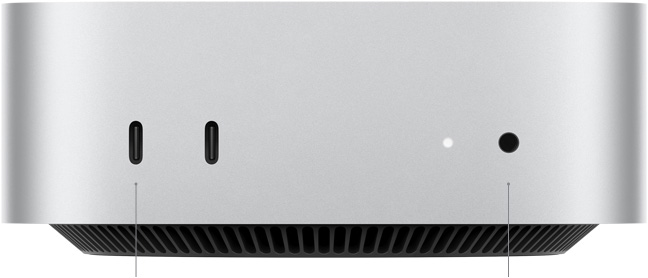
**Configured with Ethernet |
On front:
- Two USB-C ports
- 3.5 mm headphone jack
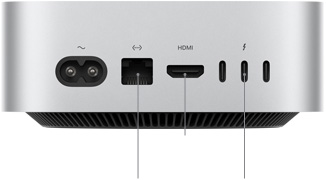
On back:
- Gigabit Ethernet port
- Three Thunderbolt 4 (USB-C)
|
On front:
- Two USB-C ports
- SDXC Card Slot
On back:
- Four Thunderbolt 4 (USB-C)
- Two USB-A ports
- HDMI port
- 10Gb Ethernet
- 3.5 mm headphone jack
|
| Est. Price* |
Bundle including mouse and keyboard ~$1,768.21 with 4-year warranty
(Base price: $1,591.01) |
~$953.42 with 4-year warranty and 24" LG Monitor
(Base price: $679.78) |
~$2,086.82 with 4-year warranty
(Base price: $1,924.58) |
| |
PURCHASE NOW (opens in a new tab) >> |
PURCHASE NOW (opens in a new tab) >> |
PURCHASE NOW (opens in a new tab) >> |
Last updated: April 24, 2026
Due to global supply chain issues, some devices are taking longer than normal to ship. Ship times are rapidly changing; please note the ship time when ordering. Apple recommends ordering as soon as possible for fastest delivery.
Suggested Employee Accessories
For more information on what power adapter is needed for your laptop, see Apple's Identify Your Mac Power Adapter article (opens in a new tab).
Please note that any devices that need to have a mobile data plan should be purchased in accordance with the University Cellular Mobile Plan Program (opens in a new tab).
| Model |
Image |
Description |
Price |
|
| Apple Magic Keyboard |
 |
Apple Magic Keyboard with Numeric Keypad
Apple Magic Keyboard |
~$125.45
~$96.28 |
PURCHASE NOW (opens in a new tab) >> |
| Apple Magic Mouse |
 |
Apple Magic Mouse |
~$76.83 |
PURCHASE NOW (opens in a new tab) >> |
| Power Adapter |
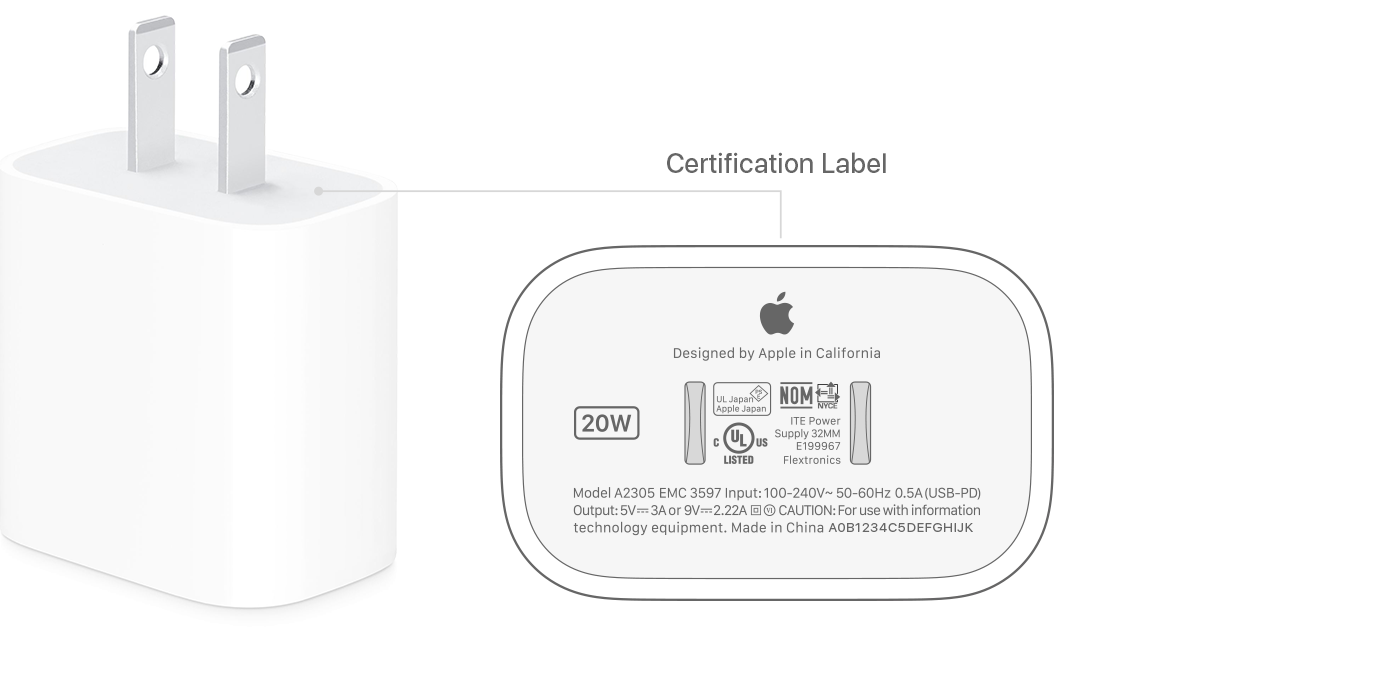 |
20 Watt USB Power Adapter for iPad and iPhone |
~$18. |
PURCHASE NOW (opens in a new tab) >> |
| Power Adapter |
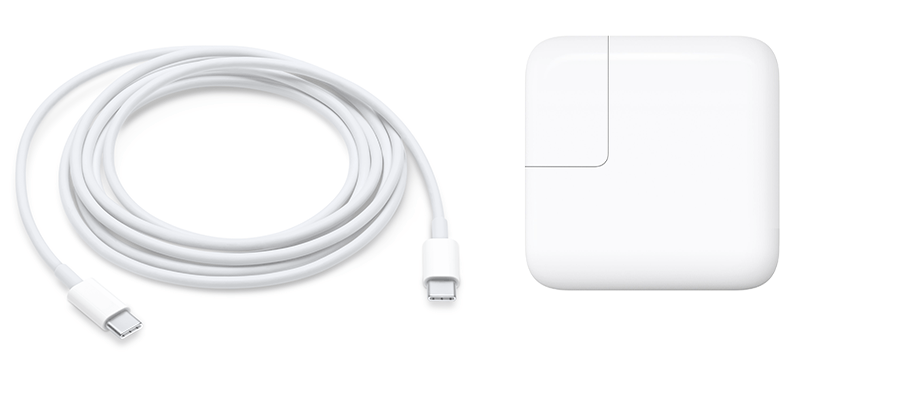 |
30 Watt USB Power Adapter for MacBook Air models 2018+
(cable not included) |
~$37.44 |
PURCHASE NOW (opens in a new tab) >> |
| Power Adapter |
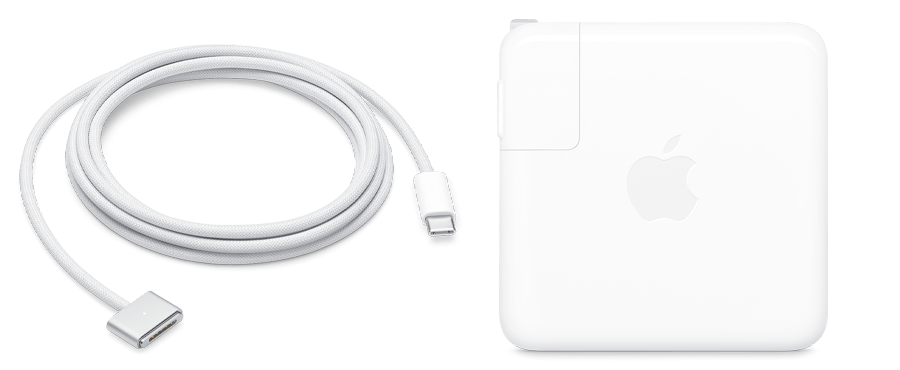 |
70 Watt USB Power Adapter for 14-inch MacBook Pro 2021+
(cable not included) |
~$57.38 |
PURCHASE NOW (opens in a new tab) >> |
| iPad mini |
 |
iPad mini, 256GB, Wi-Fi only, Space Gray |
~$638.54 Includes 4 year warranty |
PURCHASE NOW (opens in a new tab) >> |
| iPad Air |
 |
iPad Air 11", 256GB, Wi-Fi only, Silver |
~$735.79 Includes 4 year warranty |
PURCHASE NOW (opens in a new tab) >> |
| iPad 10 |
 |
iPad 10.9", 256GB, Wi-Fi only, Silver |
~$521.84 Includes 4 year warranty |
PURCHASE NOW (opens in a new tab) >> |
| iPad Pro |
 |
iPad Pro 11", 256GB, Wi-Fi only, Silver |
~$1,084.52 Includes 4 year warranty |
PURCHASE NOW (opens in a new tab) >> |
| iPad Pro |
 |
iPad Pro 12.9", 256GB, Wi-Fi only, Silver |
~$1,405.07 Includes 4 year warranty |
PURCHASE NOW (opens in a new tab) >> |
Last updated: April 24, 2026